 How to resolve AdBlock issue?
 Krotos Studio 3.0
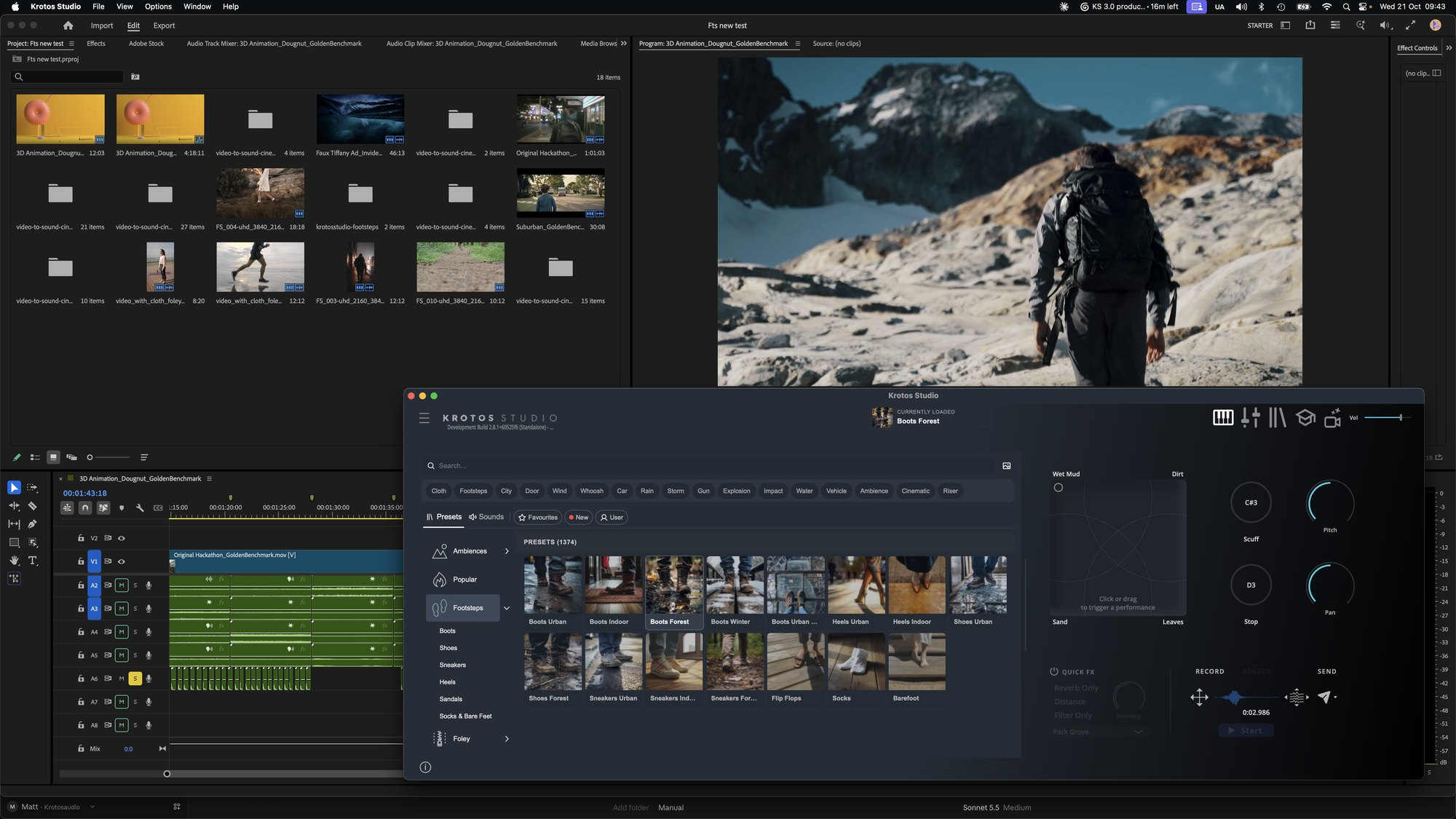
At the center of Krotos Studio 3.0 is a new Sounds tab that allows users to search and audition individual recordings without leaving the application. A single search returns both sounds and performable presets, allowing users to choose the approach that best fits the scene and move between them as a project develops.
Individual recordings in the Sounds browser include waveform previews and can be auditioned before being added to a project. Users can adjust pitch and volume while a sound plays, with those settings carried through when the recording is dragged or sent into a session. Sounds can be dragged directly into a DAW, NLE or onto the desktop. For video editors working in Adobe Premiere Pro or DaVinci Resolve, this provides a direct way to explore individual sounds and bring them into an edit, while Krotos Studio's existing performable presets remain available when a scene calls for more detailed control over timing, movement and character.
Krotos Studio 3.0 also expands how the library can be explored, organizing presets and sounds across more than 300 subcategories. Every subscriber can audition sounds across the Krotos library, with included content varying by plan: more than 33,000 sounds with Krotos Studio, over 55,000 with Krotos Studio Pro and more than 98,000 with Krotos Studio Max.
For professional sound designers, Krotos Studio 3.0 introduces a direct Send to Pro Tools workflow in the standalone application. Once a sound has been selected and adjusted, users can send it to the cursor position on the Pro Tools timeline with one click or by pressing the S key. The same workflow is available for sounds performed within Krotos Studio, allowing users to move from finding or shaping a sound to placing it into their session without breaking the creative flow. DaVinci Resolve is also supported through the host menu.
The standalone application can now be resized from full screen down to a compact perform-only panel, allowing Krotos Studio to sit alongside a DAW or NLE while users work on a project. The update also introduces a darker default interface alongside Classic and Graphite themes, as well as list, card and grid views for browsing presets.
Krotos' AI Ambience Generator and Image to Preset tools are also now housed within the Ambiences section of the main browser. Users can describe a scene or drag in a screenshot from an edit to build an ambience preset using real recordings created by Krotos sound designers. The system selects and arranges existing recordings rather than generating audio.
Krotos Studio 3.0 is available now as a free update for Krotos Studio, Krotos Studio Pro and Krotos Studio Max subscribers. The Sounds tab and updated interface are available in the standalone application as well as VST, AU and AAX formats. Send to Pro Tools and the resizable interface are available through the standalone application.
All sounds included with Krotos Studio are royalty-free for commercial use.