 How to resolve AdBlock issue?
 Evergreen Audio Version 26
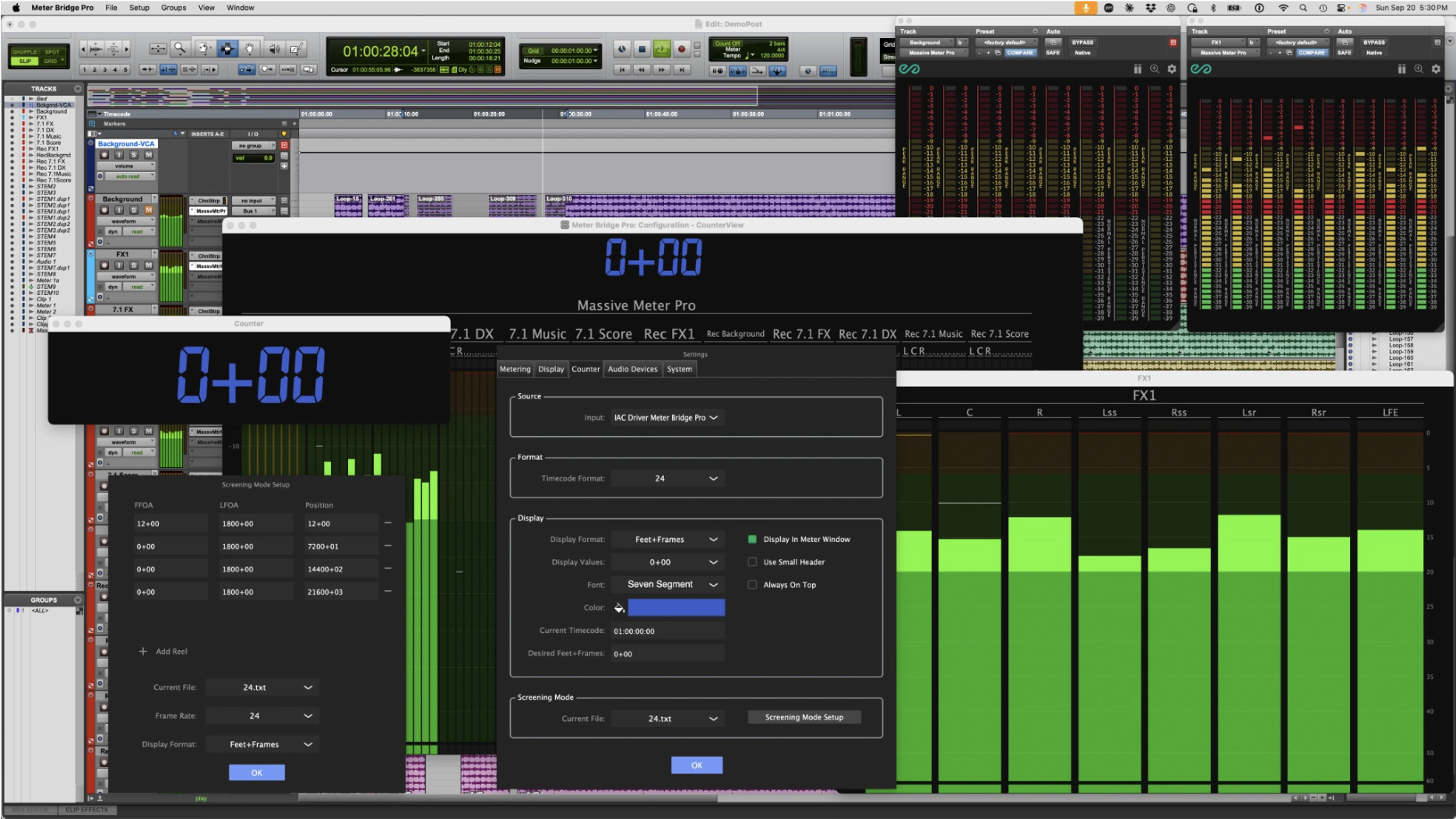
Evergreen Audio Design Group has released Version 26 of its professional metering tools. The update covers Massive Meter, Massive Meter Pro and Meter Bridge Pro, and is available now. Metering in a busy room is a shared resource. A re-recording mixer, a dialogue editor, and a client at the back of the stage all need to read the same signal but rarely want to view it the same way; Version 26 is built for that workflow. Engineers can now design the meter itself, place it wherever it needs to be seen, and run a screening without using separate hardware.
"Version 26 is largely a response to what our users told us they needed in studios. The Meter Editor, Dorrough and VU meters, and Screening Mode came directly from those requests. Meter Bridge Pro users also shaped and tested Screening Mode and the Counter enhancements to ensure they work as professionals need them to," said Bob Brown, founder of Evergreen Audio.
Version 26 follows Version 3. Evergreen Audio has moved to year-based version numbers, the same convention Apple uses for iOS and macOS, and Avid uses for Pro Tools. Every Evergreen product now shares one version number, making it clear at a glance which release you're running and whether your tools are current.
Meter Bridge Pro now includes a Meter Editor for building custom meters. Layout, padding, label sizes, clip and signal present indicators, colour breaks and scale points are all editable, with separate layouts for each channel format. Ballistics are editable too, with user-defined integration and decay times. That means a facility can match its house standard or recreate the behaviour of the hardware meters its mixers learned on. Layouts, colours, and scales save as independent files so you can mix, match, and move them between rooms. Custom meters also run in Massive Meter Pro. Any meter can now live in its own window. Place the stem meters on a dedicated display above the console. Place a large bed meter at the front of the stage under the projection screen. Create as many windows as the room needs.
The Meter Bridge Pro counter now reads MIDI Timecode, LTC and Mackie HUI, in a floating window or across the top of the main meter view. It displays timecode or feet+frames, with user-set font and colour. Complete control of what values are displayed is now available. You can show or hide hours, minutes, seconds, or frames. Screening Mode builds on it. Load a file containing the first and last frame of action for each reel. The counter calculates a continuous running position across the whole picture. Run a reel-by-reel screening and everyone in the room reads one timeline, so notes reference the film rather than the reel.
Massive Meter Pro now offers 14 meter types, including Dorrough, Dorrough Model 40, Model 280 and Model 380, and PPM Digital, alongside the custom meters built in the Meter Editor. Engineers delivering to broadcast or matching a legacy Dorrough workflow can now do so inside the plug-in.
Massive Meter, and Massive Meter Pro now run as Audio Units alongside AAX and VST3. Logic Pro users can bring their sessions into the same Meter Bridge Pro view as Pro Tools systems on the network.
Customers who bought any Evergreen Audio product since 1 January 2026 receive Version 26 free. Those upgrades have already been processed. All other existing customers, including Post Production Metering Suite and Suite Pro owners, can upgrade individual products:
- Massive Meter: $33
- Massive Meter Pro: $99
- Meter Bridge Pro: $99
A two-week free trial is available at the website below. Updates to the free Mini Meter plug-in, the Meter Bridge application and Meter Bridge for iPad will follow later in 2026.