 How to resolve AdBlock issue?
 Krotos DaVinci Resolve Video to Sound Plug-in
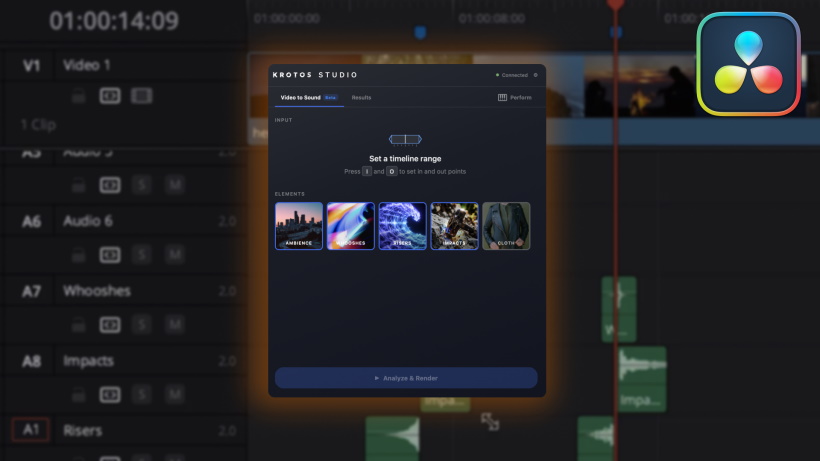
Following the recent launch of its Video to Sound plug-in for Adobe Premiere Pro, Krotos is expanding the technology to Blackmagic Design's DaVinci Resolve. The new integration helps editors quickly build an initial synchronized sound effects pass using Krotos' library of professionally recorded audio, bringing the company's AI-assisted workflow to one of the industry's most widely used editing platforms. "Video to Sound is designed to give editors a stronger starting point, whether they're working without a dedicated sound team or handing a project over to one later in post-production," said Orfeas Boteas, founder and CEO of Krotos. "It helps bring better sound into the creative process earlier while keeping sound professionals in control of the final result."
Rather than automating sound design, Video to Sound helps editors create an initial synchronized sound effects pass in minutes while leaving every sound fully editable. Editors can refine, replace, or expand on the initial sound pass, allowing them to shape and customize every scene instead of building the first pass entirely from scratch. Editors select a section of the timeline and choose which sound elements to include before Video to Sound analyzes the scene and places synchronized sound effects from the Krotos royalty-free library directly onto the timeline. At launch, the plug-in supports ambiences, whooshes, transitions, risers, impacts, and cloth effects, with footsteps and spot effects planned in a future update at no additional cost.
Video to Sound uses AI only to analyze picture content and match scenes with professionally recorded sound effects from the Krotos royalty-free library. Every sound placed on the timeline is a real recording from the Krotos royalty-free library, captured by Krotos' sound designers or properly licensed for use, giving editors a faster starting point while preserving the realism and nuance of professionally recorded audio. Krotos does not train its AI models on users' footage.
Video to Sound for DaVinci Resolve requires DaVinci Resolve Studio and a Krotos Studio account. Workflow integrations are not supported in the free version of DaVinci Resolve. The DaVinci Resolve integration is included with the Krotos Studio installer and can be enabled during installation. Video to Sound is free to try and available with Krotos Studio, Pro, and Max subscriptions.